How do you look up unfamiliar kanji?
Do you look up kanji like this?
Even without the reading, try radicals, stroke counts, shapes or handwriting.
01By radical
shinnyo radical 11 stroke kanjiIf you know the radical’s name, such as shinnyō, use a radical index or search. Narrow the list by the remaining strokes.
02By total strokes
11 stroke kanji listIf you do not know the radical, count all the strokes and use a stroke-count index. If nothing matches, check your count.
03Describe what you see
kanji with two 火 stacked verticallyTry describing the parts, their number and position: ‘fire on the left, … on the right’. A component search such as ‘火 火’ can also help.
04Use IME Pad (handwriting)
Windows · Microsoft Japanese IME- Switch to Japanese input, then right-click “あ” or “A” on the taskbar.
- Open “IME Pad”, choose “Hand Writing” and draw the unfamiliar character.
- Choose a matching character, insert it into a search field and look up its reading or meaning.
Microsoft guide: using IME Pad ↗
Unsure of the radical or strokes? Scan it.
For a printed book, scan with DuraRing and check the suggested character, reading and meaning.
Search examples open results in a new tab. Those results may reveal the reading.
Don’t let an unfamiliar word stop you.
Learn kanji through reading.
Scan unfamiliar kanji and save them with the book.
Learn kanji as you enjoy the books you love.
01
Scan & learn
Printed kanji → reading & meaning
Scan a printed page.
Check the reading and meaning.
→
02
Save with a book
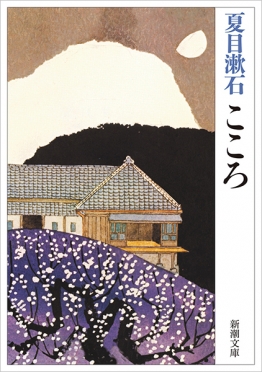
Your book · exampleKokoroNatsume Sōseki
linked
Words saved with this book余韻よいんLooked up
Keep meaningful passages and insights, too.
Save kanji with your book.
Revisit them with the scene.
Illustrations and records show how the features work.Cover: Kokoro, Shinchōsha