
Kanji quizzes for the joy of reading
How do you read 漸次 in Japanese?
A word for change that happens gradually.
Make the words you meet in books your own, one quiz at a time. Discover Japanese kanji readings, meanings and usage with DuraRing.
Unfamiliar kanji? Scan and look it up.Explore the OCR & AI dictionaryHow do you read this in Japanese?
Think of your answer before you look.
HINTShow hint
It describes something happening little by little. It differs from 暫時, which means “for a short while.”
More on radicals and this quiz’s stroke counts
Describe the shapes you see
You do not need to know the radical’s name. Try these searches for this quiz’s characters.
water radical beside 斬
water radical with 車 and 斤
Japanese reading of 漸 followed by 次
These searches describe visual similarities, not formal radicals or character components.
漸 has the water radical. 次 is classified under 欠, even though its left side resembles the two-stroke ice radical.
漸14 strokes / radical: 水 (water)
次6 strokes / radical: 欠 (yawn)
Stroke counts and radicals follow the Japanese dictionary Kanjipedia; other dictionaries may differ.
ANSWERShow answerHide answer
The answer is
ぜんじ
zenji
漸次
Understand the meaning
English translationGradually / little by little
Gradually or little by little. It can describe either an increase or a decrease: the focus is on change taking place in stages.

See it in a sentence
毎日の練習を続けるうち、読める漢字が漸次増えていった。As I kept practicing every day, the number of kanji I could read gradually increased.
A way to remember
漸次 is zenji, “gradually”; 暫時 is zanji, “for a short while.” One describes how change progresses, the other a short duration.
Sources:Kanjipedia: 漸次
The explanation draws on the sources below. Examples were written for this page.
The answer and explanation stay hidden until you open them.
Read and learn with  .
.
Photograph unfamiliar kanji, look them up and save them in the app, linked to your book.A reading app that helps you revisit words in the context of your books.
Capture and look up kanji
Photograph a printed page.Check kanji readings and meanings.
Save words. Connect them to books.
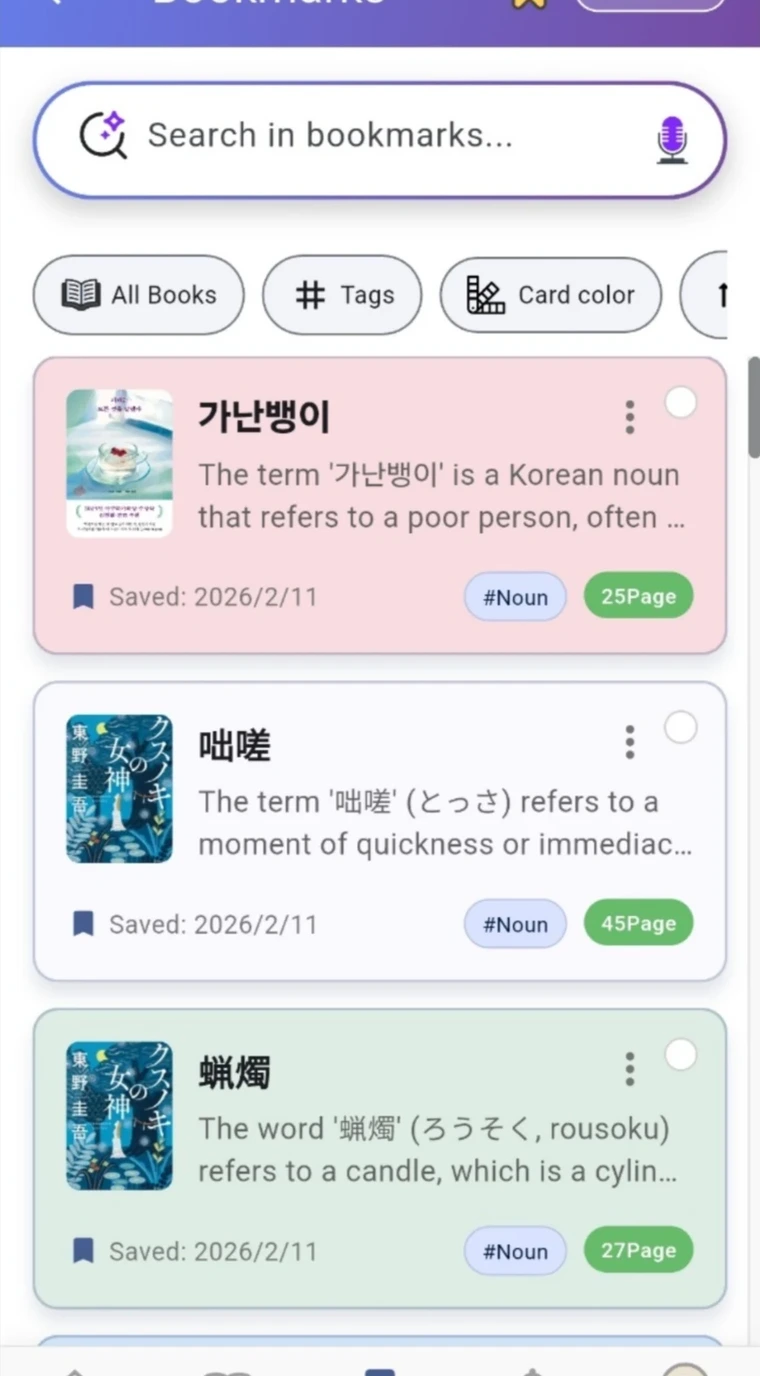
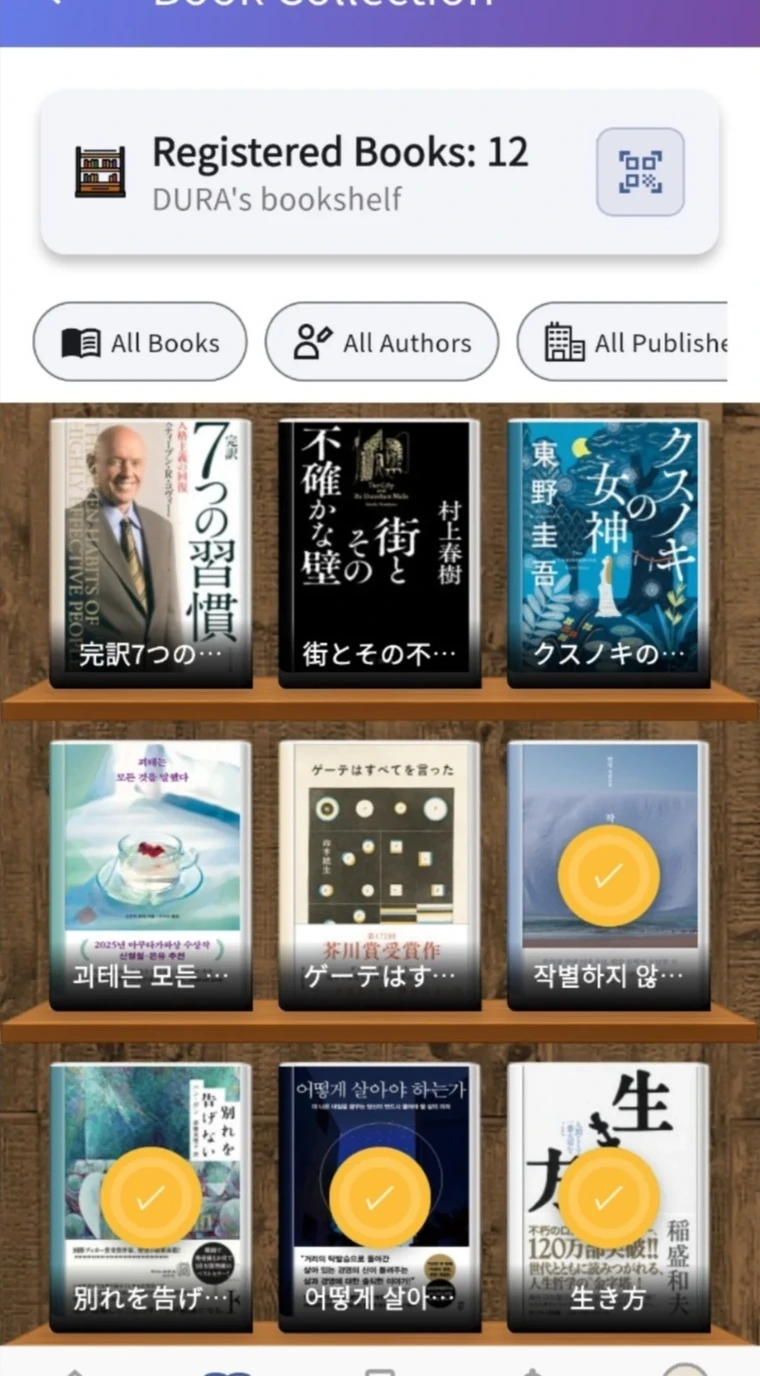
Save readings and meanings with the book and page.Revisit your reading through notes linked to your bookshelf.
① illustrates the capture feature. ② shows actual app screens.