
Kanji quizzes for the joy of reading
How do you read 概要 in Japanese?
The key points that reveal the whole.
Make the words you meet in books your own, one quiz at a time. Discover Japanese kanji readings, meanings and usage with DuraRing.
Unfamiliar kanji? Scan and look it up.Explore the OCR & AI dictionaryHow do you read this in Japanese?
Think of your answer before you look.
HINTShow hint
The main points that give a general picture of something, as in “the overview of a plan” or “the outline of a project.”
More on radicals and this quiz’s stroke counts
Describe the shapes you see
You do not need to know the radical’s name. Try these searches for this quiz’s characters.
tree radical beside a shape like 既
kanji resembling 西 above 女
Japanese word starting gai for an overall outline
These searches describe visual similarities, not formal radicals or character components.
概: 14 strokes; radical 木 (tree). 要: 9 strokes; radical 襾 (cover). Distinguish informal descriptions of the shape from the dictionary radical.
概14 strokes / radical: 木 (tree)
要9 strokes / radical: 襾 (cover)
Stroke counts and radicals follow the Japanese dictionary Kanjipedia; other dictionaries may differ.
ANSWERShow answerHide answer
The answer is
がいよう
gaiyō
概要
Understand the meaning
English translationOverview / outline
A general account of the whole. Rather than listing every detail, an overview presents the purpose and main content so the reader can grasp the overall picture.

See it in a sentence
打ち合わせの最初に計画の概要を説明し、その後で細かな手順を確認した。At the start of the meeting, we outlined the plan before reviewing the detailed steps.
A way to remember
概 is gai and 要 is yō. 概 has the tree radical next to a form resembling 既. Keep the long final vowel: gaiyō, not gaiyo.
Sources:Kanjipedia: 概要
The explanation draws on the sources below. Examples were written for this page.
Explore the word further
Organize it for the reader’s first view
Use 企画の概要 or 概要を説明する. For a work document, select what the reader first needs to know, such as the purpose, audience, and main activities.
例:資料の冒頭に企画の概要を置き、目的と開催時期を先に伝えた。
I placed an overview at the start of the proposal to present its purpose and timing first.
Shortness alone is not enough
A brief description of just one part may fail to give an overview of the whole. Before cutting details, check that the subject and central content are still clear.
References for this explanation:Kanjipedia: 概要
Explanation checked on 2026-10-25. Additional examples were written by DuraRing for this page.
The answer and explanation stay hidden until you open them.
Read and learn with  .
.
Photograph unfamiliar kanji, look them up and save them in the app, linked to your book.A reading app that helps you revisit words in the context of your books.
Capture and look up kanji
Photograph a printed page.Check kanji readings and meanings.
Save words. Connect them to books.
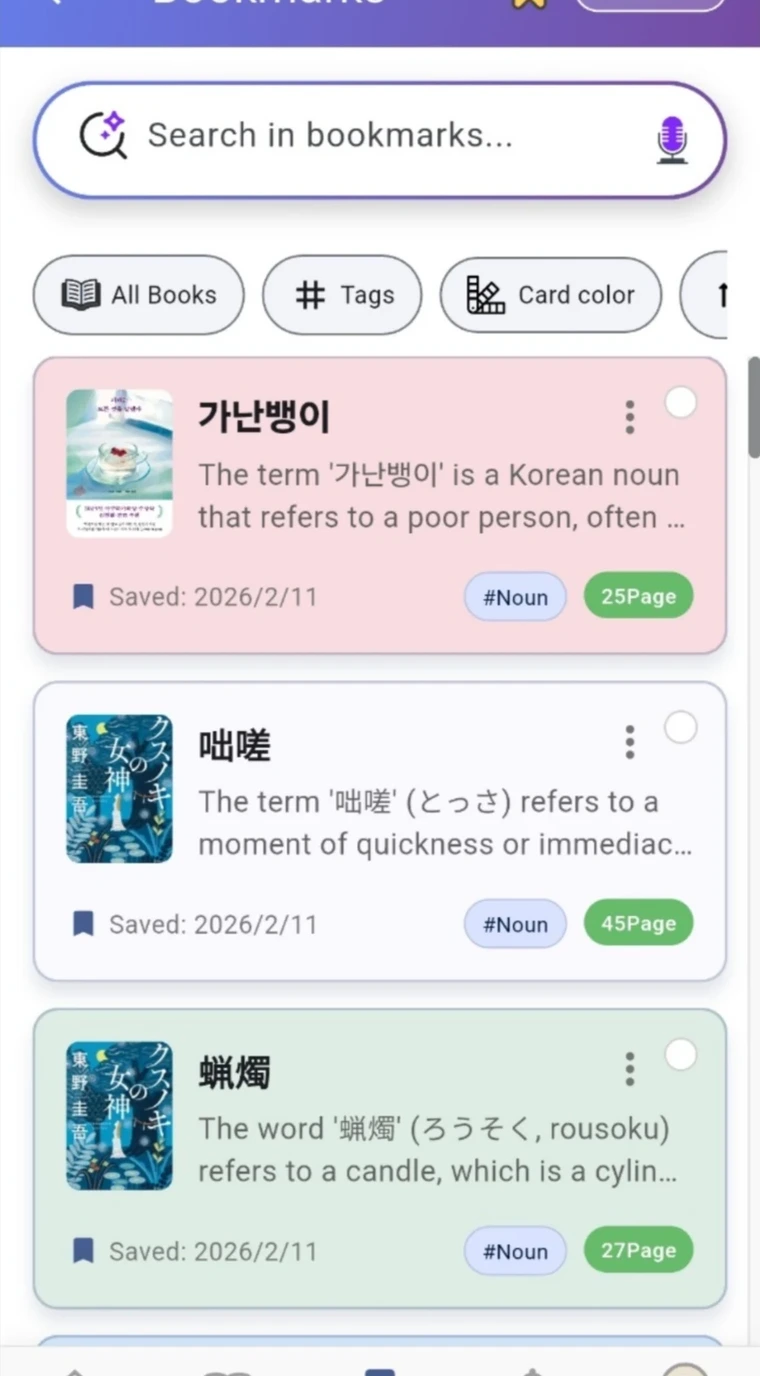
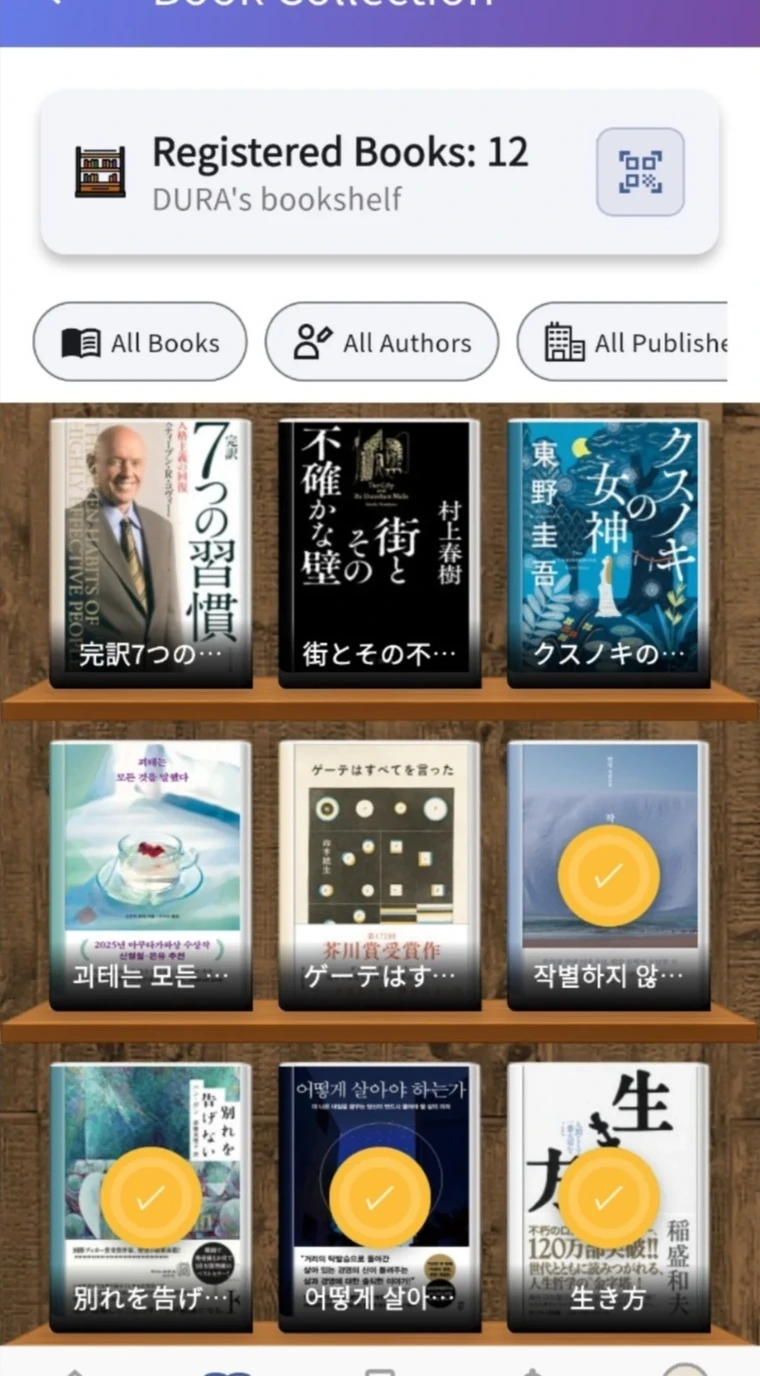
Save readings and meanings with the book and page.Revisit your reading through notes linked to your bookshelf.
① illustrates the capture feature. ② shows actual app screens.